Maharashtra State Centre
15, Haji Ali Park, K.Khadye Marg, Mahalakshmi, Mumbai - 400 034. Tel. no : (022) 2354 3650 / 2354 2943. Website: www.ieimaharashtra.org
The Institution of Engineers India is the largest Professional Body with nearly 5,00,000 Members,
100 State and Local Centres in India and 8 Overseas Chapters.

  92 Years of Relentless Journey Towards Engineering Advancement for Nation Building.
home small medium large
point Publications
point Library
point Guest-room
point Training
point Information about Softwares
point Seminars
 
sub Lectures
sub Conferences
point Newsletter
 
  Activities
arrow

Exhibitions and Competitions

arrow

E-Communications

panel
  Courses
arrow

Students Chapters

arrow

Technicians Chapter

arrow

Post Graduate Programmes

arrow

Educational/Training Programmes

panel
Various Software NEXT
Number of vendors have given their software free of charge. In turn IE has agreed to display content of this software on the web page. Sample of which is shown below

PLANWIN

Planwin / RCDC is a total end to end solution for RCC Building design and drawing. It offers following

 
Simplified Structural Planning,
Pre-processor to create input Data for STAAD as well as ETABS,
Design and detailing of RCC Members,
Drawing (Schedule as well as detailed cross-sections and elevations),
Design Calculation Reports,
Quantity estimation.
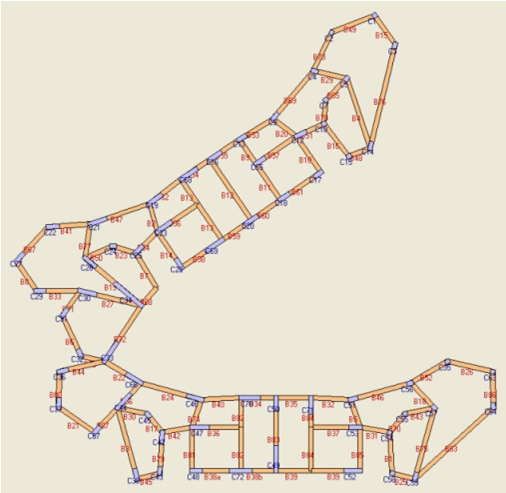
Most of the commercial software used for analysis have complex modeling environments. This is especially true when it comes to complex non-standard structures. Take as an example the plan below. Generating analysis models in Staad Pro or E-tabs for such complex geometry can be very tedious.
planwin

Keeping this in mind software PLANWIN / FRAMEWIN developed by COMPUTER HELP simplifies data input to great extent.

It directly reads plan data from CAD drawing. CAD drawing consists of closed poly lines representing slab panels. After importing in PLANWIN module it appears as follow. Intensity of load due to Dead Load & Live load is specified along with the direction in which load is to be transferred. (One way or two ways or on selected edges)

Columns can be conveniently located at desired locations. Where by cursor moves to each possible location and columns are marked either on joint or relative to the joints. Unlike other software user has complete control over naming the columns.

The AUTOBEAM feature identifies all the beams automatically along with self weight and wall loads.
Next floor analysis is carried out by which loads from slabs are transferred to beams and from primary beams to columns. User can click on any column and find out how the load is transferred from each beam as shown below Also user can click on any beam and find out how the load is transferred to beams.

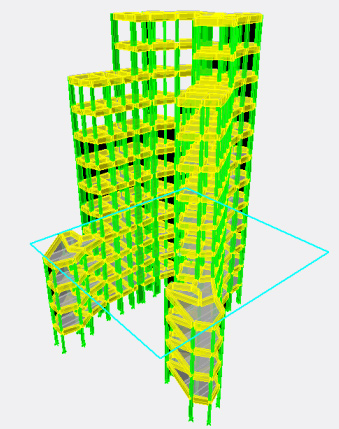
Depending on number of different levels, different plans are made and load for each plan is worked out. Next FRAMEWIN module combines all the floor depending on number of levels.

In all the currently available software size of columns are to be assumed. Here since load on each column from each floor is available, initial size of  are worked out depending of grade of concrete and percentage of steel.
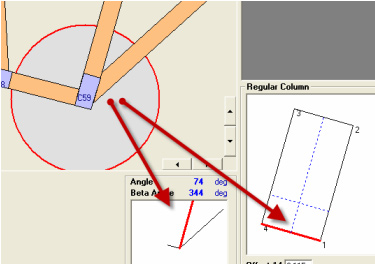
Also user can align the column along the beam line. Also user has option to specified constant face of column. (Many consultants prefers to reduce the column sizes along upper floors)

This also works out offset automatically. User has option to create shear walls by clicking between two columns.
Wind loads are worked depending on location of structure. Similarly seismic factors are worked out based on various parameters provided.
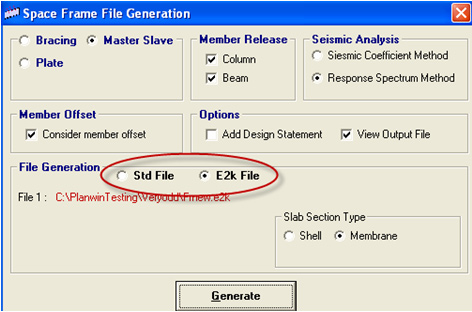
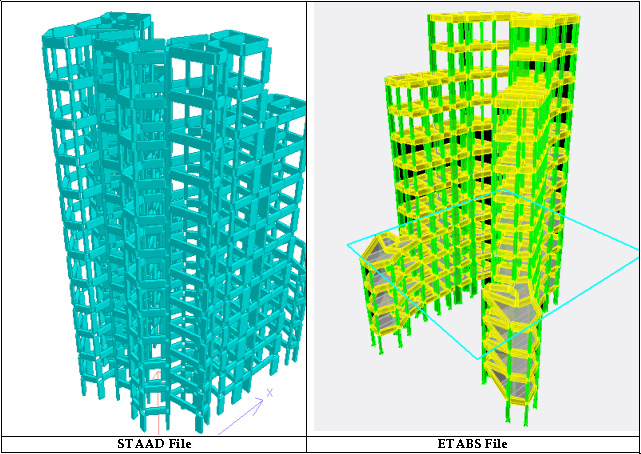
Now user has option either to create ETABS files (E2k) or STAAD file.

top
Copyright © 2009-2010 ieimaharashtra.org. All Rights Reserved. Privacy Policy   |   FAQ RSS Feed  |  Contact Us Site Map Site Designed and maintained byDotsIndia.com